


Baby Panda's Town: Home
4.3108.00 Reviews
App Specs
- Version
- 8.75.41.00
- Updated On
- License
- Free
- Downloads
- 50,000,000+
- Developer
- BabyBus
- Categories
- Educational
- Platform
- Android, iOS
Screenshots

 Analysis by AppCompare
I like Baby Panda's Town: Home best as a small, open-ended play space for young children, rather than as a lesson app with a clear path to follow. It gives kids familiar places and pretend roles to explore at their own pace, which makes it easy to dip into for a short stretch of play. The trade-off is that parents looking for structured teaching, a strong sense of progression, or detailed guidance may find it too loose. Its appeal is simple: children can make up their own reasons to move around the town, and that freedom is often the point.
Welcome to the World of Baby Panda
When you first open Baby Panda's Town: Home, you're greeted with a colorful, bustling town that’s just begging to be explored. The app features a variety of locations, from cozy homes to bustling supermarkets, each offering its own set of interactive activities. What I love most is the freedom it gives kids to roam around and discover at their own pace. No rigid rules here—just pure, unadulterated fun.
Kids can hop from one place to another, trying out different roles. One minute, they’re chefs whipping up imaginary dishes, and the next, they’re shopkeepers tallying up sales. This kind of role-playing not only sparks creativity but also helps develop social and cognitive skills in a way that feels like play rather than learning.
That make-believe structure is also what distinguishes this game from many educational apps built around quizzes, flashcards, or short exercises. Those can be useful when a child is ready to practise one particular skill, but they usually ask the child to complete a task set by the app. Here, the pleasure is more in deciding what to do next: a child can move between a home and a shop and invent a little story that connects the two. I would choose it for imaginative play, not as a substitute for a focused reading or maths activity.
Interactive and Engaging Activities
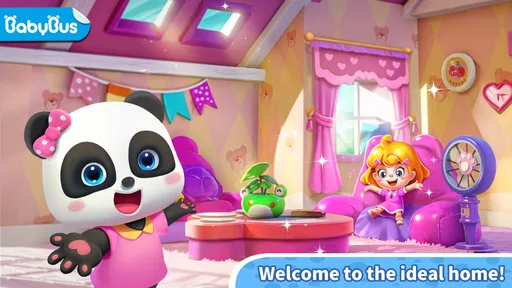
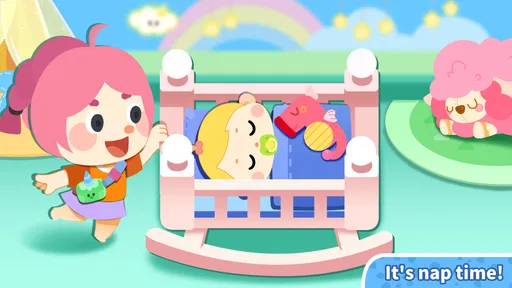
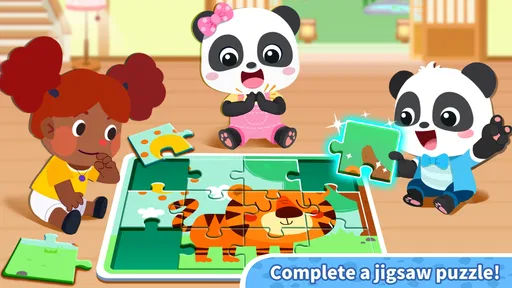
The app is loaded with interactive elements that keep kids engaged. In the home settings, they can decorate rooms, dress up characters, and even help out with chores. My little ones particularly enjoyed the mini-games sprinkled throughout the app. These games are not only entertaining but also subtly educational, teaching concepts like color recognition, counting, and basic problem-solving.
One aspect that stands out is how intuitive the app is. Even younger kids who haven’t quite mastered reading can easily navigate through the app. The developers have done a fantastic job of making sure that the controls are simple enough for tiny hands to manage, which means less frustration for both kids and parents.
A practical way to introduce the game is to sit beside a child for the first few minutes and let them take the lead. Rather than showing every available interaction, I would ask them what they want to try and wait while they explore. That reveals whether they can make sense of the touch targets and move between activities independently, without turning play into a tutorial. If they get stuck, demonstrate one action and hand the device back; the point is to help them regain momentum, not to complete the play for them.
Worth Reading Before You Choose

Flipboard Shows What News Apps Must Do Beyond the Feed

Switching to Android Auto Means Rethinking Your Driving Routine

Google Calendar Makes a Crowded Week Easier to Manage

Ludo King Makes the Most of the Minutes Between Plans

Baby Panda World Brings Quick Play to Modern Phones, but Its Game Library Feels Busy

ESPN’s Live Game View Makes Following Close Games Easier
For a child who tends to tap quickly through everything, it can help to offer a small pretend-play prompt before opening the game: “Let’s shop for something to make dinner,” for example. The supermarket can then become part of a story rather than a series of disconnected taps. This is a useful trade-off to keep in mind: the game supplies places and activities, but adults may need to supply a little conversational scaffolding if they want to draw out more language and sustained pretend play.
Safe Environment for Kids
As a parent, safety is always a top priority, and Baby Panda's Town: Home doesn’t disappoint. The app provides a safe, ad-free environment for kids to explore. There’s no risk of them clicking on something they shouldn’t or being exposed to inappropriate content. This peace of mind is invaluable, especially in today’s digital age where such concerns are all too common.
The app also respects kids' privacy, requiring no personal information to be entered, which is a huge plus in my books. It's reassuring to know that while my kids are having fun, their safety and privacy are being taken care of.
Even when a game feels suitable for children, I still recommend that a parent check the purchase controls before handing over a device. This one is free to download, but it includes in-app purchases, with items ranging from around fifty cents to just under forty-two dollars. That does not make the experience unsuitable; it simply means I would avoid leaving a child alone with an unlocked payment method. A quick device-level check is a sensible part of setting up any children’s game that offers paid items.
For families trying to keep screen time predictable, the open-ended format has both an advantage and a drawback. There is no obvious lesson sequence to finish, so it can be easy to stop after one small story, but a child who is enjoying the town may also want to keep inventing new ones. I find it works best when the adult sets the stopping point in advance—perhaps one pretend shopping trip or a short visit to a favorite room—rather than waiting for the game to signal that play is over.
Learning Through Play
One of the biggest highlights of Baby Panda's Town: Home is how it seamlessly blends learning with play. Each activity is designed to teach kids something new, whether it’s basic math skills, vocabulary, or cultural awareness. The app encourages curiosity and exploration, which are key components of early childhood education.
For instance, in the supermarket section, kids can learn about different foods, how to manage money, and even try their hand at simple arithmetic when making purchases. It's these little touches that make the app not just a source of entertainment, but also a valuable educational tool.
I would treat those learning moments as conversation starters rather than proof that a child has mastered a subject. When a child notices foods, counts items, or plays at buying something, an adult can ask what they picked and why, or invite them to count aloud. That turns a quick interaction into shared practice without requiring a worksheet-style lesson. It also keeps expectations realistic: a playful activity can introduce ideas and encourage curiosity, but it cannot tell a parent whether a child understands a concept consistently.
This distinction matters if you are choosing between this and a more structured educational game. For early learners who enjoy pretend settings, the town can make counting and naming feel natural. If your main goal is repeated practice with a specific skill, a focused app with clearly graded exercises may be a better match. I see this one as the more appealing option when a child resists formal drills or simply wants to invent stories while encountering everyday concepts along the way.
Everyday Play, and Where It Fits
A realistic use for the game is a quiet stretch at home while a caregiver is nearby preparing a meal. A child can choose a home or supermarket activity, make up a small scenario, and return to the adult to tell them what happened. The adult can keep an ear out and ask a question now and then, without needing to direct every tap. That makes the game easier to share with family life than an activity that demands a parent’s constant attention, while still leaving room for conversation.
It can also be useful during a short wait when a child has access to a device and needs something calmer than a fast-paced action game. The setting gives them familiar objects and roles to work with, so the play can be gentle and self-directed. I would not assume every child will stay absorbed for the same amount of time, though. A child who prefers a definite goal, a challenge that gets harder, or a clear reward for finishing may lose interest sooner than one who enjoys inventing their own scenarios.
BabyBus is the developer, and the game sits in the educational category, but its most convincing educational quality is the way it gives children a space to practise imaginative choices. Its broad appeal is reflected in an average rating of 4.3 from around 23,000 ratings, alongside over 50 million installs. Those figures suggest that many families have tried it, but they do not tell me whether its loose style will suit a particular child; watching how that child responds to open-ended play is more useful than popularity alone.
What to Expect Before Downloading
The game is free, is rated Everyone, and requires Android 6.0 or later. Its current version is 8.75.41.00, and it was released on October 26, 2022. Those details make it straightforward to check basic compatibility, while the in-app purchase range is worth considering before a child uses a shared phone or tablet. I would also open the game once myself before offering it to a younger child, so I could see how the opening experience works on the device and decide whether I want to stay nearby.
One important caution is that I would not promise a child a particular amount of fresh material over time. The game’s appeal can come from revisiting a familiar setting and making a different story out of it, rather than relying on a steady stream of new activities. That is a different kind of replay value from a game that adds levels or tracks progress. If a child loves repeating familiar play, this can be a strength; if they quickly need novelty, the same freedom may not keep them engaged for long.
I would also avoid judging the game by whether it keeps a child busy without interruption. Its strongest use is as a playful setting that can prompt independent exploration and occasional shared conversation, not as a replacement for adult interaction. A caregiver who wants an app to deliver a complete, measurable lesson should look elsewhere; a caregiver who wants a child to choose a role, try simple activities, and tell a little story may find this a much better fit.
Endless Exploration
Perhaps the most appealing feature of Baby Panda's Town: Home is its replayability. With so many places to visit and activities to try, kids never seem to get bored. My kids have spent countless hours revisiting their favorite spots and discovering new surprises each time. The app frequently updates with new content, keeping the experience fresh and exciting.
For me, the best reason to keep it installed is not that it replaces every other children’s game, but that it offers a different pace from apps built around scores, timers, or a single correct answer. That makes it a good choice for children who like to invent, imitate everyday routines, and move between settings without being hurried. It is less compelling for families seeking a tightly planned curriculum, a visible record of progress, or a game that automatically limits a play session.
My recommendation is to try it with a child who enjoys pretend play, then pay attention to what they actually do: do they create their own scenario, return to activities they like, or ask you to take part? Those reactions are a better guide than simply counting how long the app holds attention. If the child is happiest when an adult gives them a clear challenge, choose a more structured learning game; if they enjoy making up the challenge themselves, this town has room for that kind of play.
In conclusion, Baby Panda's Town: Home offers a perfect blend of fun and education in a safe, engaging environment. It's an app that parents can feel good about letting their kids use, and one that kids will adore for its endless possibilities. If you're looking for a way to combine play with learning, this app should definitely be on your download list. It's a little slice of digital magic that turns every day into an adventure.
Pros
- Intuitive controls perfect for kids.
- Vibrant graphics keep children engaged.
- Educational content in a playful setting.
- Regular updates with new activities.
- Safe environment with no third-party ads.
Cons
- Limited content in free version.
- Requires in-app purchases for full access.
- May not challenge older children.
- Needs internet for some features.
- Occasional loading delays on older devices.
FAQs for Baby Panda's Town: Home
What is Baby Panda's Town: Home?
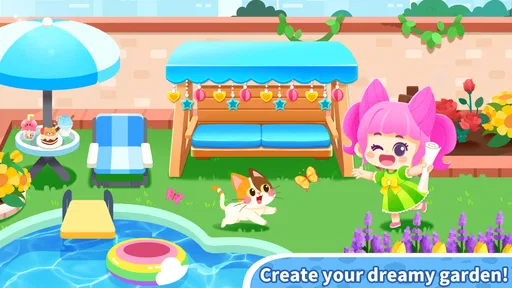
Baby Panda's Town: Home is an interactive educational game designed for children. It allows kids to explore a virtual town and engage in various activities such as cooking, gardening, and decorating. The game is developed to enhance creativity and cognitive skills through role-playing and exploration.
Is Baby Panda's Town: Home safe for children?
Yes, Baby Panda's Town: Home is designed with child safety in mind. It features a kid-friendly interface with no inappropriate content. Additionally, the game is free of third-party advertisements, ensuring a safe and uninterrupted play experience for children.
What are the key features of Baby Panda's Town: Home?
The game offers multiple interactive locations, such as a kitchen, garden, and living room. Children can engage in creative activities like cooking and decorating. The game also supports multilingual options, making it accessible to a global audience, and encourages learning through fun tasks and exploration.
Does Baby Panda's Town: Home require an internet connection?
No, Baby Panda's Town: Home does not require a constant internet connection. Once downloaded, children can enjoy the game offline, making it a great option for travel or situations where internet access is limited.
Are there any in-app purchases in Baby Panda's Town: Home?
The game includes some optional in-app purchases that unlock additional content and features. However, the core gameplay is available for free. Parents can manage or restrict purchases through device settings to ensure a controlled gaming experience for their children.


